The All-in-One Adobe Creative Cloud Suite Certification Course Bundle

8 Reviews
1243 Enrolled
10 Courses & 73 Hours
Deal Price$29.99
Suggested Price
$180.00
83% Off
🔥 1,000+ Sold! Selling Fast
The All-in-One Adobe Creative Cloud Suite Certification Course Bundle
8 Reviews
$29.99$180.0083% OFF

What's Included
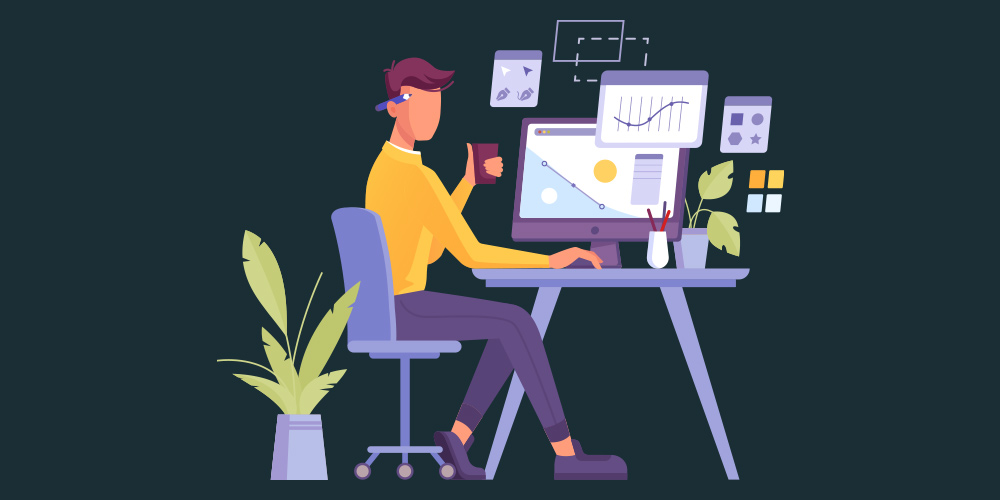
Complete Adobe Premiere Pro CC Course: Beginner to Advanced
  • Experience level required: All levels
  • Access 77 lectures & 8 hours of content 24/7
  • Length of time users can access this course: Lifetime

Course Curriculum

77 Lessons (8h)

  • Your First Program
  • Section 01 - Introduction
    Introduction to the Adobe Premiere Pro CC Course0:36
    How To Download and Install PP2:02
    MINI LESSON - Customizing a Video10:22
    Syllabus3:51
    All Resources
  • Section 02 - Basics
    Creating a new project4:17
    Introduction to the Layout7:56
    Importing and Organizing Media6:00
    Creating New Sequence5:44
    Important Tools6:27
    Important Shortcuts5:37
  • Section 03 - Editing
    Editing Workflow Tips4:14
    EXERCISE: Import and Adjust a Video13:03
    Motion Breakdown6:30
    EXERCISE: Make a Still Sequence Interesting with a Zoom Animation9:11
    Effect Controls Breakdown6:33
    Add and adjust Effects on a Clip to a clip4:59
    Warp Stabilizer8:49
    EXERCISE: Add Warp Stabilizer To Fix Shake19:30
    Creating Solids and Adjustments8:45
    How to Edit to the Beat3:10
    EXERCISE: Edit a Video and Sync it to the Beat7:36
  • Section 04 - Graphics
    Introduction to Essential Graphics7:30
    Creating and Customizing Basic Titles4:26
    Adobe Templates Library4:11
    EXERCISE: Import and Customize an in House Template4:40
    How to Import Premium Templates4:23
    EXERCISE: Import and Customize a Premium Template8:04
    Creating Advanced Titles & Graphics7:54
    Title Transitions6:57
    EXERCISE: Animate a Title Sequence using Transitions7:28
    Animating Titles3:30
    EXERCISE: Animate an Advanced Intro Title Sequence5:53
  • Section 05 - Color
    Introduction to Lumetri Color4:36
    Basic Color Correction4:39
    EXERCISE: Improve a Clip with Color Correction5:40
    Basic Color Grading10:03
    EXERCISE Improve a Clip with Color Grading5:35
    Adobe LUT Presets5:49
    EXERCISE: Improve a Sequence with a Preset LUT6:20
    Premium LUTs8:27
    Adjustment Layers2:45
    EXERCISE: Use Adjustment Layers to Improve Sequences7:48
  • Section 06 - Audio Production
    Audio Adjustments5:33
    Improve Audio Quality3:34
    EXERCISE: Improve the Audio Quality of a Clip4:22
    Removing Background Noise12:46
    EXERCISE: Remove Background Noise from Audio9:26
    Reducing Echo8:04
    Audio Transitions5:25
    Sound Design and Sound Effects9:02
    Premium Audio Presets3:09
    EXERCISE: Import a Premium Audio Preset6:50
    EXERCISE: Improve a Sequence with Sound Design9:07
  • Section 07 - Advanced Effects
    Effect Library Breakdown8:53
    Adjusting Effects with Keyframes7:18
    How to get the “Cinematic Look”3:27
    EXERCISE: Give a video a professional look6:20
    Masking in Premiere Pro3:27
    EXERCISE: Create a Seemless Masking Transition17:10
    How to Dynamic Link with After Effects4:11
    Green Screen Work7:29
    Advanced Green Screen Effects5:44
  • Section 08 - Transitions
    Basic Video Transitions7:40
    Basic Audio Transitions2:35
    EXERCISE: Create Audio Transitions5:36
    EXERCISE: Transition Overlays11:02
    Advanced Transition Presets4:18
    EXERCISE: Import and use an Advanced Transition8:14
    Creating Custom Transitions8:43
  • Section 09 - Exporting
    Exporting Screenshot5:43
    Exporting Sections of a VIdeo3:58
    EXERCISE: Export 2 types of media from 1 video5:55
    Best Export Settings5:29
    Export at Max Quality4:47
    How to Export with Transparent Background8:22
  • Section 10 - Bonus
    Bonus Resources

Complete Adobe Premiere Pro CC Course: Beginner to Advanced

JP
Joe Parys

Joe Parys | Best-Selling Instructor Proudly Serving 500,000+ Students

4.3/5 Instructor Rating: ★ ★ ★ ★


Joe Parys is a best-selling instructor, certified life coach, professional motivational speaker, entrepreneur, licensed psychology teacher and head basketball coach! His main areas of expertise are teaching, coaching, public speaking, personal development, personal transformation, the human mind, maximizing human potential, motivation and goal setting.

Joe Parys is an entrepreneur running his own life coaching and motivational speaking business. Joe has spoken and taught his courses in numerous high schools in the United States and continues to travel around the country inspiring students of all ages.

603,361 Total Students
41,524 Reviews

Description

In this course, you will start by learning the overview of the entire session while being taught how to download and install Adobe Premiere Pro. You will then learn the basics, creating a new project, layers, important media, and creating a new sequence. Right after that, you will be taught editing, graphics, color correction and grading, audio production, advanced effects, transitions, and exporting your videos. By the end of this course, you will acquire the knowledge and skills to use Adobe Premiere Pro efficiently.


4.5/5 average rating: ★ ★ ★ ★


  • Access 77 lectures & 8 hours of content 24/7
  • Fully understand how to use Adobe Premiere Pro CC to edit videos quickly and easily
  • Learn all the basics of Adobe Premiere Pro CC
  • Create graphics, titles, transitions & animations
  • Make audio adjustments & improve your audio for better videos
  • Master all kinds of transitions, video, audio, titles, overlays & more
  • Edit a promo video, YouTube video & micro content from scratch
  • Create your own videos in Adobe Premiere Pro CC
  • Use effects and edit to the beat
  • Use color correction & grading in your videos like a pro
  • Export your videos in the right format


NOTE: Software NOT included.

Specs

Important Details

  • Length of time users can access this course: lifetime
  • Access options: desktop & mobile
  • Redemption deadline: redeem your code within 30 days of purchase
  • Experience level required: all levels
  • Have questions on how digital purchases work? Learn more here

Requirements

  • Adobe Premier Pro CC

Terms

  • Unredeemed licenses can be returned for store credit within 30 days of purchase. Once your license is redeemed, all sales are final.
8 Reviews
4.8/ 5
All reviews are from verified purchasers collected after purchase.
Chad Rodgers profile picture

Chad Rodgers

Verified Buyer

Very comprehensive and easy to use and understand. Very affordable.

May 11, 2026
KR

Kumar Raamanathan

Verified Buyer

Good deal for the price, however its little difficult to search for the course in the website

Dec 1, 2025
JC

Jeffrey Clark

Verified Buyer

Great training products . Really enjoy the format of teaching

Aug 18, 2025
TR

Thomas Rogers

Verified Buyer

Firstly, life-time access, then the clear easy to follow instructions. Love the course. Just wish I had more time in a day to learn more.

Nov 19, 2023
WN

Wendy Nguyen

Verified Buyer

I Love it! It is such a great product, and easy to use, and I got it for such a great deal as well. Highly recommend

Dec 20, 2022
DC

David Crowther

Verified Buyer

That it covers multiple products within the Adobe Creative Cloud Suite. There is so many products and features that I want to learn and master...

Nov 15, 2022
Your Cart
Your cart is empty. Continue Shopping!
Processing order...